
“I’m getting a following error on my production belts.” HMI said generic fault. PacDriveAssist said which drive, which motor, and why.
THE CHALLENGE
A routine belt change that turned into a recurring fault – with no clear cause.
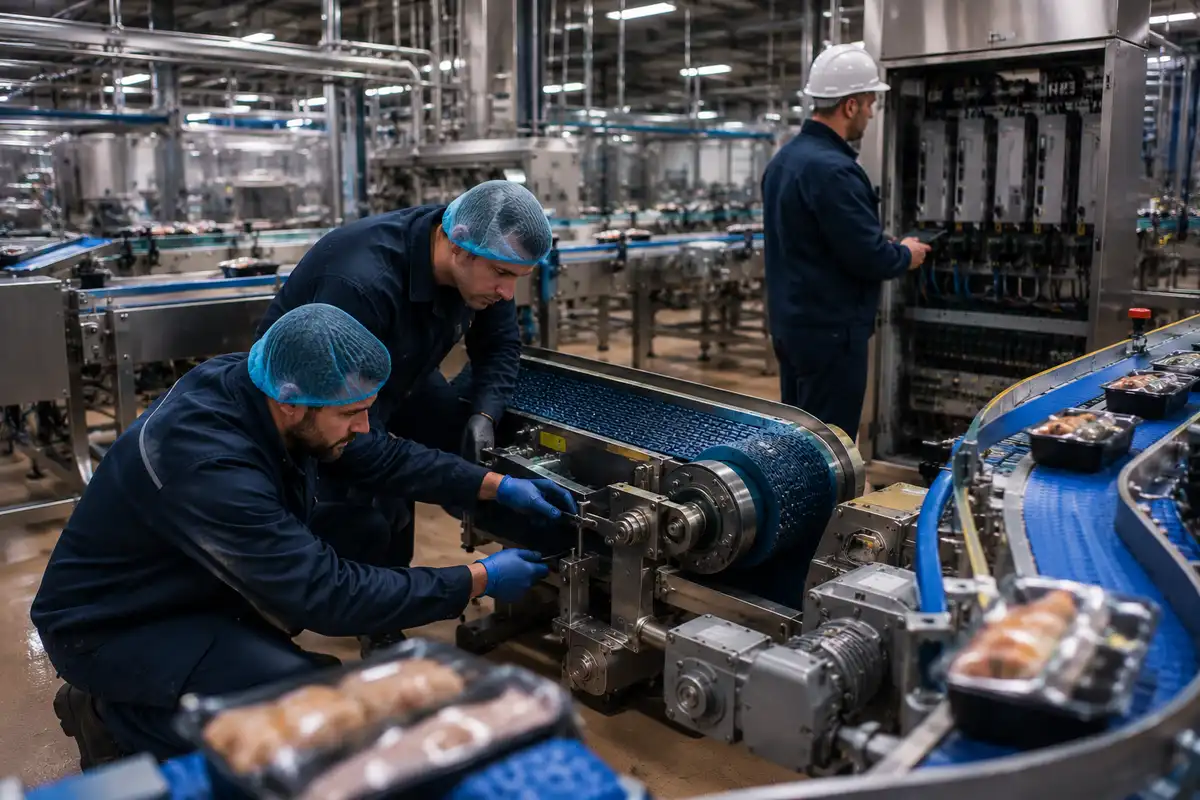
A food production line had undergone a scheduled belt change – a routine maintenance task. Shortly after the machine restarted, an intermittent following error began triggering on the PacDrive system. Each occurrence forced a full production stop, an error reset, and a manual restart before the line could continue running.
The error was genuinely intermittent – appearing at irregular intervals with no discernible pattern. The HMI displayed only a generic error message with no indication of which drive was involved, which axis was generating the fault, or what in the motion profile was being violated. Every reset was a guess. Every restart bought a few more minutes at best.
The belt change was the obvious suspect – but without data showing which drive was struggling and why, there was no way to confirm the connection or identify the fix. Engineers were resetting the same error for days with nothing to go on.
"We'd been resetting the same error for days. We had no idea it was the belt tension - the HMI gave us nothing to work with."
- Maintenance Engineer, Food Production Site, UKTHE DIAGNOSIS
Specific drive. Specific motor. Specific cause. All from the PLC data.
When the DMC engineer connected PacDriveAssist to the PacDrive controller, the first step was identifying which drive was generating the following error. That information existed in the controller’s data – it simply wasn’t being surfaced on the HMI. Within the first inspection, the specific drive and motor axis involved were confirmed.
PacDriveAssist then examined the motion code on that axis – comparing the commanded position profile against the actual position being achieved by the drive. A following error occurs when a drive cannot keep pace with its commanded trajectory. The question was: why was this axis suddenly falling behind?
The answer was in the load data. The belt tension had been set incorrectly during the changeover – applying more mechanical resistance than the drive’s motion profile was designed to overcome. The drive was fighting a constraint that hadn’t existed before the belt change. No electrical fault. No drive failure. Incorrect tension – identifiable only by reading the drive’s actual load against its commanded profile from inside the PLC.
HOW PACDRIVEASSIST SOLVED IT
From generic fault to specific fix – without replacing a single part.
Connected and identified the specific drive and motor
PacDriveAssist established a read-only connection to the PacDrive controller and immediately identified which specific drive and motor axis was generating the following error – information the HMI never surfaced. For the first time, the diagnosis had a confirmed starting point.
Analysed the motion code – commanded vs actual position
PacDriveAssist read the motion profile on the identified axis, comparing the commanded position trajectory with the actual position data being logged by the drive. The gap between commanded and actual was clear and consistent – pointing directly to a mechanical load issue, not an electrical fault or drive failure.
Pinpointed incorrect belt tension as the root cause
With the load data confirming excess mechanical resistance on that axis, the investigation pointed directly to the recent belt change. Tension had been set too high during the changeover – creating a load the drive’s motion profile couldn’t sustain. The tension was corrected. The following error did not recur. No parts were replaced.
WHAT THIS CASE DEMONSTRATES
A generic HMI error is not a diagnosis. It’s a starting point – if you have the right tools.
Following errors are one of the most common fault types on PacDrive systems – and one of the most frequently misdiagnosed. Without direct access to the drive’s motion profile and load data, engineers have only the fault type to work with. That’s one piece of information when you need four: which drive, which axis, what the motion profile was doing, and what caused it to fail.
This case is a clear example of how a routine maintenance action – a belt change – can introduce a fault that is completely invisible from the outside. The belt tension was wrong. No sensor would detect that. No HMI fault code would indicate it. The only way to find it was to read the drive’s actual load data against its commanded profile, directly from inside the controller.
The engineers on site watched the diagnostic process. They now understand what a following error actually means in terms of drive data, and how to distinguish a mechanical load problem from an electrical one. That knowledge stays on site – and the next time this type of fault occurs, they will know exactly where to look.
THE OUTCOME
£18,500 in avoided costs. Root cause: belt tension. No parts replaced.
✓ Specific drive and motor identified – information the HMI never provided, confirmed on first connection
✓ Motion code analysis confirmed mechanical cause – not an electrical fault or drive failure
✓ Root cause: incorrect belt tension set during the routine changeover – a simple mechanical adjustment resolved it
✓ Zero parts replaced – no unnecessary spend, no additional downtime from wrong-part diagnosis
✓ £18,500 in downtime costs avoided – line back in production same day
✓ Site team upskilled – engineers understand how to approach similar faults in future and what to look for in the data
Identified via drive motion profile data.
No parts replaced.
Line back in production.
"We learnt a lot watching DMC's engineer at work and will be keeping in touch for ongoing support. We'd been resetting the same error for days - we had no idea it was the belt tension. PacDriveAssist showed us exactly where to look."
- Maintenance Engineer, Food Production Site, UK