
How to Diagnose ELAU PacDrive Faults Faster
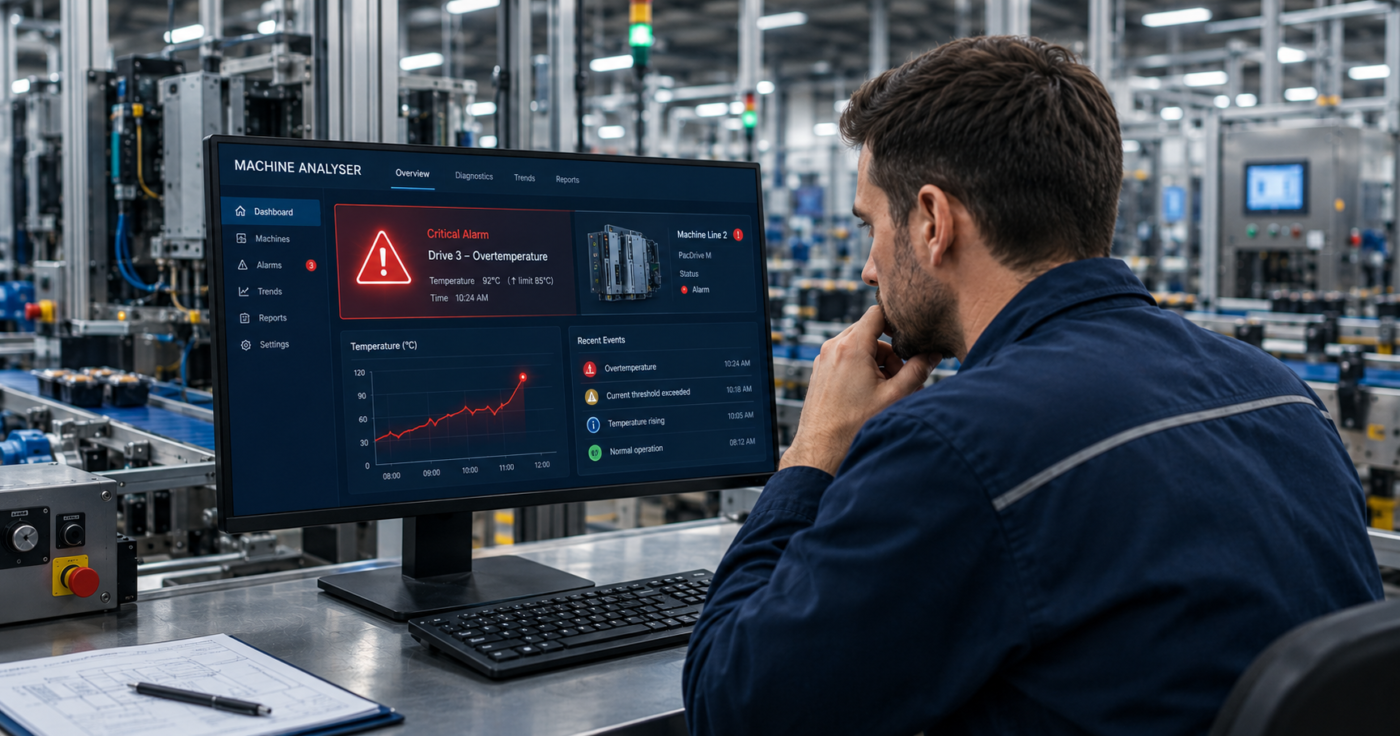
You will not diagnose an ELAU PacDrive fault faster by reading the error code faster. The fault on the screen is usually the last thing that happened, not the first.
That sounds like hair-splitting at 4am with a line down. It isn’t. On a PacDrive system the displayed fault is often a follow-on, triggered by something that failed several events earlier and one layer deeper. Chase the visible code and you fix a symptom. The line stops again on the next shift.
So the question most engineers reach for: “how do I read this fault code faster?” is the wrong one. The better question is: “what sequence of events led to this stop, and at which layer did it start?”
Why the fault code alone falls short
Engineers trained on generic PLCs expect faults to behave like IEC fault handling. IEC standards, such as IEC 61131-3 and IEC 61508, aim for universality: structured programming, general-purpose diagnostics, platform-independent fault categories [1]. A fault is a fault. It’s listed on its own, independent of the machine state.
PacDrive was built on a different philosophy. ELAU folded the PLC, motion control and communication into one platform in 1998, and the diagnostics followed the machine rather than the standard [2]. Three consequences matter when you’re stood at the panel.
First, PacDrive diagnostics are hierarchical. Faults are structured across the controller, the MC4 drive and the axis [1]. A single stop can involve a fieldbus error, a drive power-stage fault and an axis synchronisation failure at the same instant. Generic IEC reporting would show those as three separate alarms with no ranking. PacDrive aggregates them, but you still have to read the hierarchy the right way up.
Second, PacDrive logs event sequences, not snapshots [1]. The controller records the chain: the first-out fault, the intermediate warnings, then the cascade. That chronology is the whole value. It gives you the origin, not just the outcome.
Third, the same issue can raise different codes depending on state. PacDrive diagnostics are tied to axis and machine state machines, like Disabled, Standstill, Error Stop [1]. A fault raised during homing reads differently from the same fault during synchronised running. Read the code without the state and you can misread the cause entirely.
A worked stop, event by event
Take a typical error-stop on a multi-axis packaging machine. The panel shows an axis following error. Naive response: check the axis, check the servo, swap the drive. Here is what the event log actually shows, ordered first to last.
- Fieldbus telegram lost on one Sercos node (communication layer).
- Drive on that node reports a power-stage warning (drive layer).
- Master axis continues; the slave axis loses its position reference.
- Synchronisation tolerance exceeded across the coupled axes (application layer).
- Controller raises Error Stop; the axis following error is displayed (axis layer).
The displayed fault is item five. The cause is item one. Swap the drive from item two and you’ve replaced a component that was reacting, not failing. The Sercos node is the real fault. On PacDrive M running Sercos II, that distinction matters even more, because the fibre-optic ring behaves differently from the Ethernet-based Sercos III on PacDrive 3 [2].
This is why interpretation needs tooling. Read that trace top-down and the five-event chain above takes minutes but if you read the panel code on its own and you’re guessing.
A model you can carry: Sequence → Layer → State
Three questions turn a PacDrive stop from a hunt into a read.
Sequence. What fired first? Find the first-out fault before you touch anything. The last-seen code is the symptom; the first-out is the lead.
Layer. Which layer owns the controller, drive, axis or field device? Locating the layer tells you whether you’re chasing logic, power, motion or a cable.
State. What state was the machine in when it faulted? The same code means different things in Standstill and in synchronised run. State disambiguates cause.
Run those three in order and most stops resolve to a single origin, not a shortlist of suspects.
The evidence problem on legacy lines
One catch hits PacDrive M hardest. The platform has been obsolete since December 2018, with roughly 55,000 machines still in service worldwide [2]. Controllers retain a finite number of recent records. On an intermittent fault that has surfaced over days or weeks, the first-out event can be overwritten before anyone reads it. You arrive to find the cascade but not the origin.
That is where continuous data collection earns its place. Machine Analyser reads the controller’s fault codes, drive health and I²T values passively and read-only, and keeps the event history the controller would otherwise discard [3]. Prediction isn’t the point. Keeping the first-out fault readable tomorrow is.
Back to your estate
So, work out three things for your own lines. How many of your stops get closed on the displayed code, with no one reading the sequence. How many “drive faults” turned out to be a Sercos node or a connector. And how much of your first-out evidence survives long enough to be read on an intermittent fault.
The engineer who diagnoses fastest isn’t reading the code faster. They’re reading it in the right order.